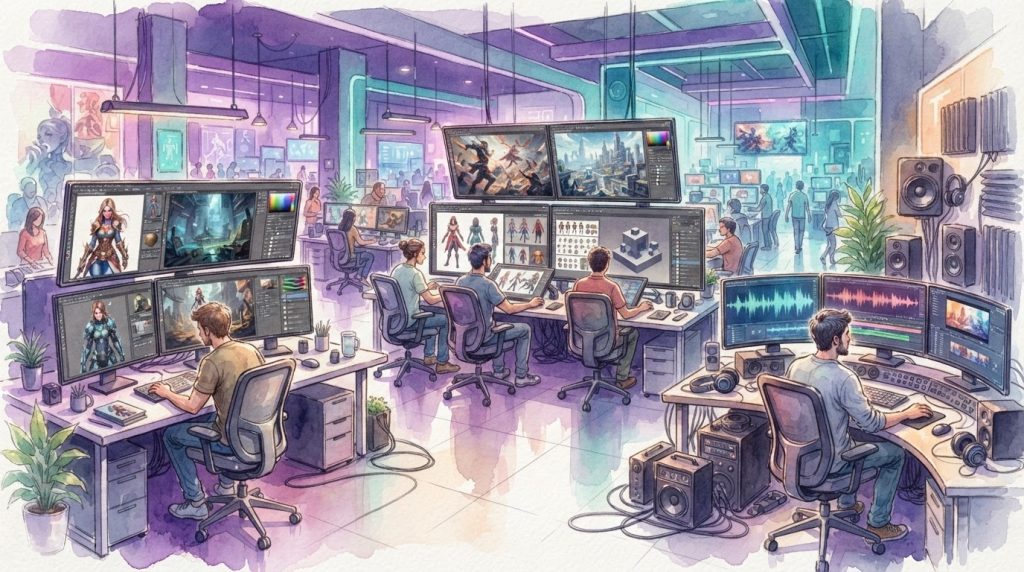
“Layer AI brings multiple AI models into one creative workspace built for game studios.”
If you’ve spent hours juggling five different AI apps just to get one on-brand game asset out the door, you’re not alone — most studio art teams have been there. Layer AI promises to fix that by putting every model, style, and format in one workspace built specifically for game studios. Here’s what Layer AI actually does, what it costs, and how it stacks up against tools like Scenario and Leonardo.Ai.
What is Layer AI?
Layer is an AI platform built for game studios and entertainment brands. Instead of generating just images, it pulls together AI models for images, video, 3D, and audio into a single workspace, so an art team doesn’t have to bounce between separate apps for each asset type. The company describes itself as a “single access point” to a curated set of leading AI models, meaning new models get added to the platform as they’re released instead of forcing studios to go find and learn them on their own.
Layer was founded in 2020 and is based in San Francisco. It’s led by CEO Volkan Gurel and CRO Burcu Hakguder, alongside a founding team with backgrounds in the games industry.
How does Layer AI work for game studios?
Layer sits on top of the model layer instead of replacing it. Rather than building its own single AI model, it gives teams a workspace to pick from image, video, 3D, and audio generators, train those models on a studio’s own art style, and then run that style consistently across hundreds of assets. The platform is model-agnostic, so if a better model comes out next month, it gets folded into Layer rather than requiring a whole new subscription somewhere else.
A big part of the pitch is speed at scale. Layer’s own comparison shows a typical asset production cycle — from ideation through marketing — shrinking from roughly 22 weeks to about 5 weeks when a studio moves work into the platform, mostly by replacing manual sketching and one-off asset creation with bulk, AI-assisted generation and direct game-engine syncing.
Layer connects with tools art teams already use, including Photoshop, Illustrator, Premiere Pro, Blender, Maya, Unreal Engine, Unity, Figma, and a Chrome extension — so it’s meant to sit inside an existing pipeline rather than replace it.
What can you create with Layer AI?
Layer supports several asset types that come up constantly in live game production:
- 2D art — characters, backgrounds, UI elements, and in-game items, generated with base models or a studio’s own trained style.
- 3D assets — exportable in formats like OBJ and GLB, useful for props and environment pieces.
- Video — used heavily for user-acquisition (UA) ad creative and playable-style ad formats.
- Audio — sound and voice assets alongside the visual pipeline.
A lot of Layer’s growth has come specifically from user-acquisition and marketing teams, since those roles need dozens of ad variants on a tight, repeating schedule rather than a handful of hero images.
Can Layer AI keep my game’s art style consistent?
This is the feature most studios ask about first, since off-the-shelf AI models tend to drift from a game’s established look. Layer addresses this with custom style and character training: a studio uploads its existing art, Layer trains a model on it, and future generations are meant to match that established style rather than defaulting to a generic AI look. Studios like Ace Games have reported using Layer’s FLUX-based training on their existing assets to speed up production of seasonal and event content while keeping a consistent visual identity.
Is Layer AI free, and how much does it cost?
Layer uses usage-based pricing rather than a flat per-seat fee. Instead of paying for every artist or producer who needs an account, studios pay based on generation usage through Layer’s “Creative Units” system, with paid plans starting around the $30/month mark according to third-party pricing listings. A free tier exists to try the platform before committing, and Layer positions this seat-free model as a way to give every team member — not just a handful of licensed users — access to the tools.
What stands out
- One workspace instead of juggling separate apps per model or asset type
- Usage-based pricing, not per-seat licensing
- Integrates with existing tools like Unity, Unreal, Blender, and Photoshop
- SOC 2 Type II compliance for studios with IP or publisher approval requirements
Worth knowing
- Built primarily for professional studios, not solo hobby projects
- Output quality still depends on the underlying third-party models Layer connects to
- Usage-based pricing means costs scale with generation volume, which needs budgeting for high-output teams
How is Layer AI different from Scenario or Leonardo.Ai?
All three are AI platforms aimed at creative production, but they lean in different directions. Leonardo.Ai, now owned by Canva, is broader and more consumer-facing, covering general creative image generation beyond games. Scenario is also gaming-focused and known for training custom style-consistent models, similar to what Layer offers. Layer differentiates itself mainly through its multi-model, model-agnostic approach — pulling in models from providers like Google, OpenAI, Flux, Kling, and Runway into one interface — plus its enterprise features aimed specifically at studios handling licensed IP or unannounced titles.
| Feature | Layer AI |
|---|---|
| Founded | 2020, San Francisco |
| Focus | Game studios & entertainment brands |
| Asset types | 2D, 3D, video, audio |
| Pricing model | Usage-based (Creative Units), no per-seat fee |
| Security | SOC 2 Type II, SSO/SCIM, audit logging |
| Engine integrations | Unity, Unreal Engine, Blender, Maya, Photoshop, Illustrator, Premiere Pro, Figma |
Is Layer AI enterprise-ready and secure?
For studios worried about handing unannounced or licensed content to a third-party AI tool, Layer highlights SOC 2 Type II compliance, single sign-on and SCIM support, role-based access controls, and exportable audit and event logs. This kind of compliance package is aimed squarely at studios that need to satisfy a publisher’s or licensor’s security review before adopting a new tool.
Who actually uses Layer AI?
Layer says it’s used by more than 300 entertainment brands, including well-known mobile and casual game publishers such as Zynga, Tripledot, Big Fish, IGT, Huuuge, and Unity. It reports being used daily by over 10,000 artists, producers, and growth teams, with some studios reporting production speed increases in the 2–8x range after adopting the platform.
Company-reported growth stats (like productivity multipliers or hours saved) come from Layer’s own case studies and blog. They’re useful directionally, but treat them as marketing claims rather than independently audited figures.
- What is Leonardo.Ai? — how Canva’s AI art platform compares
- What is Promethean AI? — another AI tool built for game environment design
- Meshy AI review — a closer look at AI 3D asset generation
- Tripo 3D — image-to-3D generation for game props and characters
- Hyper3D Rodin AI — another 3D generation option worth comparing
- Inworld AI review — AI tools for NPC dialogue and character behavior
Frequently Asked Questions
Is Layer AI only for large game studios?
No. Layer is built for studios of every size, from indie teams to large publishers, though its enterprise security features are aimed mainly at bigger studios handling licensed IP or publisher approval processes.
Does Layer AI replace artists?
Layer positions itself as a tool to speed up production, not replace creative staff. The platform is described as “artist-first,” keeping human artists in control of final output and creative direction.
What file formats does Layer AI export for 3D assets?
Layer supports exporting 3D generations in formats including OBJ and GLB.
Does Layer AI charge per user?
No. Layer uses usage-based pricing tied to generation volume (Creative Units) rather than charging per seat, so studios can add team members without extra licensing costs.
What software does Layer AI integrate with?
Layer integrates with Photoshop, Illustrator, Premiere Pro, Blender, Maya, Unreal Engine, Unity, Figma, and offers a Chrome extension.