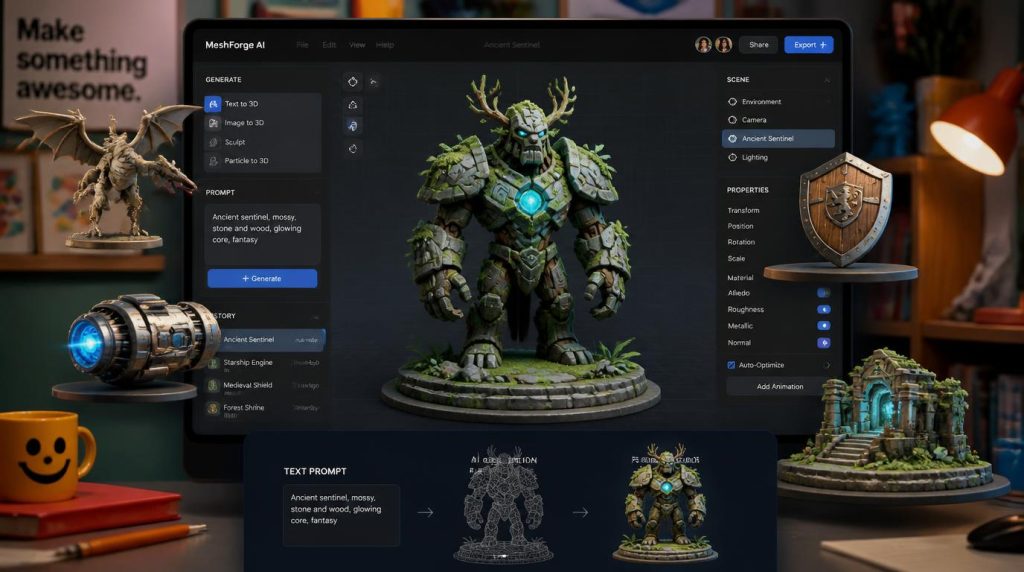
“AI will not replace artists, but artists who use AI will replace those who don’t.”
— Mike Winkelmann (Beeple)
Modeling a single game-ready 3D asset by hand can eat an entire afternoon — and most indie teams don’t have an afternoon to spare. This guide breaks down exactly what Meshy AI does, what it costs, and where it actually holds up under a real production pipeline, so you can decide in five minutes whether it belongs in yours.
What is Meshy AI?
Meshy AI is a browser-based platform that turns text prompts or reference images into textured, ready-to-use 3D models. Instead of building a mesh from scratch in Blender or Maya, you describe what you want — or upload a photo, sketch, or concept image — and Meshy generates a shape, wraps it in realistic materials, and hands you an export you can drop into a game engine, a slicer, or a 3D viewer within a minute or two.
It launched in 2023 and was founded by Dr. Yuanming (Ethan) Hu, a computer graphics researcher known for creating the Taichi programming language, which is used across hundreds of academic and industry graphics projects. The company is based in San Jose, California, raised early backing that included a strategic investment from NVIDIA Ventures, and has grown into one of the most widely used tools in the AI 3D generation category, with reported user numbers well into the millions.
How does Meshy AI actually work?
Meshy splits generation into stages instead of doing everything in one shot, which is one of its smarter design decisions — you only pay for texturing after you’ve confirmed the underlying shape is worth keeping.
- Generate the base mesh. Type a description (up to roughly 800 characters, in any of over 20 languages) or upload 1–8 reference images. Meshy produces an untextured shape in around 30 seconds so you can judge the silhouette before spending more credits.
- Add textures. Once you’re happy with the shape, Meshy applies full PBR materials — color, normal, metallic, and roughness maps — so the model reacts correctly to lighting in a game engine instead of looking flat or “baked in.”
- Rig and animate (optional). For humanoid or creature models, Meshy’s auto-rigging applies a skeleton automatically and offers a library of preset animations — walking, idling, attacking — without manual bone weighting.
- Clean up the topology. A remeshing tool rebuilds the polygon layout so the model isn’t bloated with unnecessary detail, which matters for both game performance and 3D-printing slicers.
- Export. Download in FBX, OBJ, GLB, STL, USDZ, 3MF, or Blend, or push the asset directly into a plugin for Blender, Unity, Unreal, or Godot.
What can you actually build with it?
The realistic use cases split into four buckets: game development (props, environment clutter, and rigged characters for prototyping), 3D printing (figurines and product mockups exported straight to a slicer), AR/VR and product visualization, and rapid concept iteration for artists who want to test ten variations of an idea before committing to a hand-sculpted version. It is not, by most accounts, a replacement for a dedicated character artist on a AAA hero asset — more on that below.
How much does Meshy AI cost?
Meshy runs on a credit system rather than a flat “unlimited” subscription. A full text-to-3D or image-to-3D generation (mesh plus texture) costs 20 credits, and — notably — rigging and animation currently don’t cost any extra credits once you’ve generated the base model. Failed generations aren’t charged, and cancelled tasks are refunded.
| Plan | Monthly credits | Good for |
|---|---|---|
| Free | 200 / mo | Testing the workflow, roughly 10 full generations a month, no card required |
| Pro | Varies by tier | Solo devs and hobbyists who generate regularly |
| Premium / Ultra | Higher caps | Frequent iteration, larger asset libraries |
| Studio / Enterprise | Team seats (2+) | Studios needing shared licensing and commercial-use terms |
What are the pros and cons of Meshy AI?
Where it holds up
- Genuinely fast — a textured model in roughly a minute versus hours or days by hand
- The full pipeline (model, texture, rig, animate, export) stays in one browser tab
- Strong PBR texturing that behaves properly under real-time lighting
- Broad export support and plugins for major game engines and 3D-print slicers
- Free tier is genuinely usable, not just a locked demo
Where it falls short
- Hard-surface and mechanical objects (vehicles, weapons, machinery) are noticeably weaker than organic characters
- Identical prompts can produce inconsistent results run to run
- Long, highly specific prompts sometimes miss the mark, and re-rolling costs credits
- Auto-rigging can struggle with stylized or non-standard character proportions
- Occasional non-manifold or hollow meshes that need manual repair before printing
Is Meshy AI actually good for game development?
For prototyping, yes — it’s genuinely one of the faster ways to fill out a level with props, test whether a character silhouette reads well, or block out an environment before a real artist touches it. For shipping a game’s hero assets, most experienced reviewers land in the same place: use it to compress the early, exploratory stage of production, but expect to hand-finish anything that ends up on screen for more than a few seconds. That’s consistent with how most AI generation tools fit into a pipeline right now — as an accelerant for the boring or repetitive parts, not a full replacement for an artist’s judgment.
More AI tools coverage on LemonLama
Frequently asked questions
Is Meshy AI free to use?
Yes. The free plan gives 200 credits a month with no card required, which covers roughly ten full text-to-3D or image-to-3D generations, plus access to texturing. Commercial use of free-tier models generally requires crediting Meshy, while paid plans typically remove that requirement.
What file formats does Meshy export?
Meshy supports FBX, OBJ, GLB, STL, USDZ, 3MF, and Blend, covering the formats most game engines and 3D-printing slicers expect out of the box.
Can Meshy AI rig and animate characters automatically?
Yes, for humanoid and creature-shaped models. It applies a skeleton automatically and offers a library of preset animations. It works best on roughly human-proportioned characters and can be less reliable on heavily stylized or non-standard body shapes.
Is Meshy good for 3D printing?
It’s one of the stronger AI tools for this specifically, since it targets watertight, manifold meshes that pass through slicers without heavy manual repair. That said, occasional print-readiness issues still turn up, so it’s worth checking a model in your slicer before starting a long print.
What’s the biggest limitation to know about before relying on it?
Hard-surface and mechanical geometry — vehicles, weapons, machinery — is consistently the weakest category. It’s also worth budgeting for iteration: prompts don’t always land on the first try, and re-generating costs credits each time.
Who owns the rights to a model Meshy generates?
Licensing depends on your plan, and Meshy’s own terms are the authoritative source — this article isn’t legal advice. As a general pattern, paid plans tend to carry cleaner commercial licensing than the free tier, and generating something that closely resembles existing trademarked or copyrighted designs carries separate legal risk regardless of plan.
Methodology: This overview was compiled from Meshy’s official site and help-center documentation, its public pricing page, and a cross-section of independent third-party reviews, checked as of August 2026. Pricing tiers, credit allowances, and licensing terms on tools like this change frequently — confirm current details directly on meshy.ai before making a purchasing decision. This is not legal or financial advice.