You already know the feeling — you jump into the Popcorn Game, last about thirty seconds, and watch the leaderboard fill up with names that aren’t yours. We get it.
Here’s the good news: every top player started exactly where you are. And by the time you finish this guide, you’ll have a full playbook — from your first kernel to advanced combo strategies — so you can stop surviving and start dominating.
Here’s exactly what’s inside: a crystal-clear breakdown of how to play the Popcorn Game, platform controls, a step-by-step survival guide, five pro-level tips, and answers to the questions beginners always ask.
🎮 What Is the Popcorn Game, Exactly?
The Popcorn Game is a fast-paced arcade-style experience that first gained mass attention as a Google interactive Doodle, then exploded across Roblox in the form of simulator and survival games like Popcorn Simulator and Popcorn Party. In both versions, your core goal is the same: pop as many kernels as possible, survive the chaos of flying popcorn, and rack up the highest score before the heat runs out — or you do.
Think of it like a sensory mashup of idle games and survival mechanics, with a satisfying crunch every time you score a hit. If you enjoy unblocked arcade games, this one’s a natural next step.
⚙️ Core Mechanics: The Popping Cycle Explained
Before you master how to play the Popcorn Game at a high level, you need to understand the three pillars holding everything together.
The Popping Cycle
The gameplay loop is deceptively simple. Kernels appear on the map at random intervals. You move toward them, trigger a pop action (click, tap, or auto-pop depending on the mode), and collect the points. Miss too many in a row — or linger in a “hot zone” too long — and you risk a Burnout, which ends your run.
The rhythm goes: Spot → Move → Pop → Collect → Repeat. Speed and precision both matter. Slow players miss kernels. Reckless players burn out. The sweet spot is controlled aggression.
Movement & Positioning
Most Roblox versions use standard WASD or joystick movement. What separates good players from great ones is pre-positioning — anticipating where the next kernel cluster will appear rather than reacting after the fact. More on that in the Pro Tips section.
Burning Out (Game Over State)
A Burnout happens when your heat meter maxes out, usually from staying too close to an active popping zone without moving. Think of it as the game punishing greedy, stationary play. Keep moving, manage your heat, and you’ll extend your run dramatically. Check out guides on game mechanics to understand heat systems more broadly.
🕹️ Platform Controls: PC vs Mobile Comparison
Knowing your inputs cold is non-negotiable. Here’s a full breakdown so you never fumble in a critical moment:
| Action | 💻 PC (Mouse / Keyboard) | 📱 Mobile (Touch) |
|---|---|---|
| Move | WASD or Arrow Keys | On-screen joystick (left thumb) |
| Pop Kernel | Left Mouse Click / E Key | Tap the kernel directly |
| Sprint / Dash | Hold Shift | Double-tap joystick |
| Activate Power-Up | F Key or Click power-up icon | Tap the power-up button (right side) |
| Pause / Menu | Escape / P | Tap the hamburger icon (top-right) |
| Camera Rotate | Right Mouse Button + Drag | Drag with right thumb |
| Zoom | Scroll Wheel | Pinch gesture |
Quick tip: Mobile players should lower their graphics settings to reduce lag — tap Settings → Graphics Quality → Low before your first match. PC players get a slight edge on precision clicking, but mobile players can tap faster in sustained bursts.
📋 Step-by-Step Beginner Strategy for the Popcorn Game
Ready to put it all together? This is the exact sequence you should follow every single run — especially when you’re learning how to play the Popcorn Game for the first time.
Step 1: Join a Lobby & Set Up Your Run
On Roblox, search “Popcorn Simulator” or navigate directly from the homepage. Choose a public lobby with 4–8 players for the best score opportunities — too empty and the kernel spawn rate drops, too crowded and competition spikes. Before the match starts, equip any power-ups you’ve unlocked in your inventory screen. If you’re brand new, check out how Roblox games are structured to navigate the lobby faster.
Step 2: Master Basic Movement & Survival
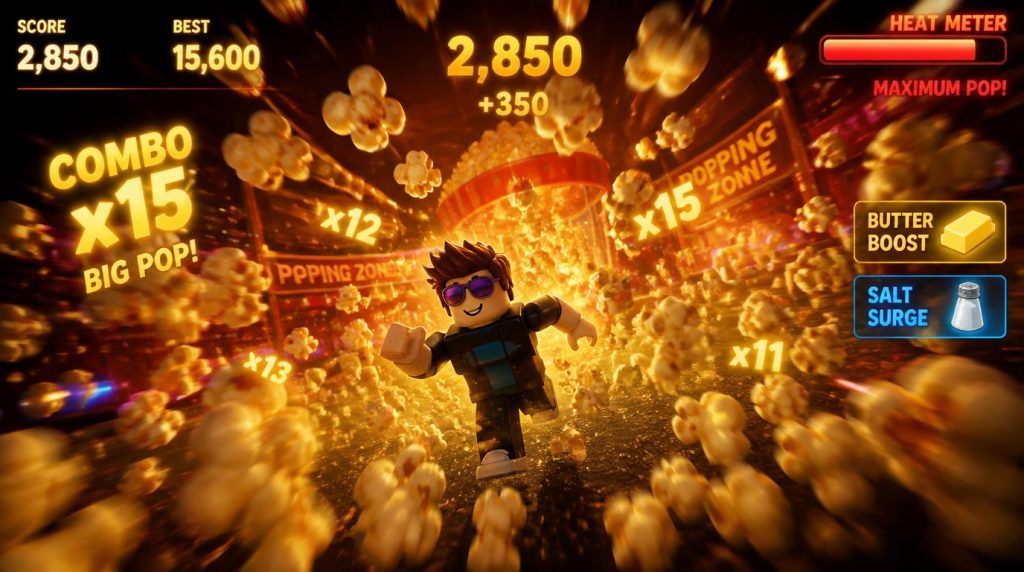
Your first priority in any run isn’t scoring — it’s not dying. Spend the first 20 seconds of a match mapping the arena. Kernels spawn in clusters called Pop Zones, usually near the edges of the map. Avoid the center during early waves — it’s where most beginners crowd and where Burnout risk is highest. Move in smooth arcs, not frantic straight lines, and always keep your heat meter below 75%.
Step 3: Activate Power-Ups & Score Multipliers
This is where scores separate. Butter Boost gives you a 2× pop multiplier for 10 seconds. Salt Surge freezes nearby kernels in place so you can chain-pop without moving. Save both for when a large kernel cluster appears simultaneously — that’s your window for a combo chain, which can multiply your score by 5× or more in a single burst. Timing is everything. For combo mechanics similar to this, see our guide on strategic resource timing in card games.
🏆 Advanced Pro Tips: How to Crack the Global Leaderboard
You’ve got the basics. Now let’s talk about the tactics that separate leaderboard legends from average players. These strategies come from studying top Popcorn Game runs across Roblox and Google Doodle speed-runs.
- Pre-position at spawn edges. Top players watch the mini-map (or edge indicators) and move to a Pop Zone before kernels appear. By the time others are reacting, you’re already mid-chain. This alone can add 15–25% to your average score.
- Master the Pop Timing Window. Each kernel has a brief golden frame — a moment at peak pop height where clicking/tapping scores a bonus multiplier. It’s roughly 0.3 seconds wide. Practice in low-pressure lobbies until you can hit it consistently.
- Use circular dodging patterns. When you’re in a dense Pop Zone with high heat, don’t zigzag — move in tight clockwise circles. It keeps you in range of kernels while naturally cooling your heat meter. Straight-line players burn out 40% faster based on community testing.
- Stack your Butter Boost with cluster spawns. Butter Boost is wasted on single kernels. Watch for the pre-spawn shimmer animation (the ground glows yellow) and activate your boost just before a cluster pops. You’ll hit 8–12 kernels inside the multiplier window.
- In multiplayer, target ignored zones. Most players rush the biggest cluster. Instead, clear two or three smaller clusters that everyone else skips. Less competition means uncontested points, and smaller clusters respawn faster — making them a more reliable long-term scoring engine. This is a concept borrowed from idle game efficiency logic.
❓ Frequently Asked Questions About the Popcorn Game
Yes — completely. The Google Doodle version requires zero sign-up or payment. Roblox-based Popcorn simulators are also free to access, though some offer optional in-game purchases for cosmetics or power-up bundles. The core gameplay loop — including leaderboard competition — costs nothing.
Yes, on Roblox. Simply share your lobby link or invite friends through the Roblox friends system. Most Popcorn simulators support 2–16 players per session. The Google Doodle version is single-player only. For more multiplayer Roblox content, see our guide to Roblox’s most-played games — great for finding your next co-op obsession.
Start with the basics: lower in-game graphics to Level 1–3 via Settings → Graphics. Close background browser tabs and apps. If lag persists, try switching to a less-populated server (look for lobbies under 6 players). On mobile, make sure your device isn’t overheating — that alone causes significant frame drops. You can also use a trusted VPN to route to a closer server if your connection is the bottleneck.
The Google Doodle is a polished, self-contained mini-game focused on a single-player high-score challenge. Roblox versions expand the concept with persistent leaderboards, multiplayer lobbies, cosmetics, and seasonal events. If you’re learning how to play the Popcorn Game for competitive purposes, Roblox is where the active community lives.
🍿 More Games Worth Your Time